

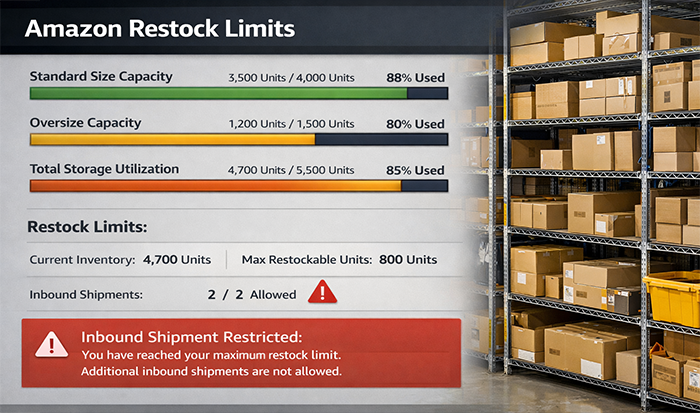
Amazon Restock Limits are the quantity caps Amazon places on how much inventory you can send into its fulfillment network for certain products or storage types. If you have ever tried to create an FBA shipment and realized Amazon would not let you send in as many units as you planned, you have already run into restock limits. For sellers, these limits can feel frustrating, especially when demand is rising, but they are Amazon’s way of managing warehouse space and inventory flow.
Restock limits usually matter most when:
- You are planning a replenishment for FBA inventory.
- A product is selling well and you want to avoid stockouts.
- Amazon blocks or reduces the quantity in your shipment plan.
- You are preparing for a sales spike or seasonal demand.
A few important things to keep in mind:
- Restock limits are not always fixed; they can change over time.
- Faster-selling inventory usually gets treated better than slow-moving stock.
- Overstocking weak products can make future space tighter.
The best way to handle restock limits is to stay proactive. Watch your inventory planning closely, move slow stock before it becomes a problem, and avoid waiting until you are nearly out of inventory to start replenishment.
