



Table of Contents
Make Every Second Count: Turn Quick Scans into Clicks and Conversions
On Amazon, decisions happen in seconds. Shoppers scan your main image, skim a line or two, check the price and reviews—then they buy or bounce.
Listing optimization makes those seconds count: smart keywords to get found, crisp visuals to earn the click, and clear benefits to convert. Nail that, and your conversions rise, ads get cheaper, and rankings start to snowball.
What “Great” Amazon Listing Optimization Looks Like
Discoverability (SEO)
- You index broadly across relevant keywords and rank deeply for a focused cluster.
- Your title, bullets, attributes, and backend terms all align with customer searches.
Persuasion (CRO)
- Your first 2–3 images and first two bullets communicate clear benefits, fast.
- Social proof is visible, objections are answered, and friction is minimized.
Experience (Expectation Setting)
- Size charts, compatibility notes, usage tips, and comparison tables reduce confusion and returns.
- Variations are clean and logical; shoppers don’t feel overwhelmed.
Momentum (Testing + Reviews)
- You A/B test titles/images with Manage Your Experiments.
- You seed compliant review volume early and keep quality high.
The Anatomy of a High-Converting Amazon Listing
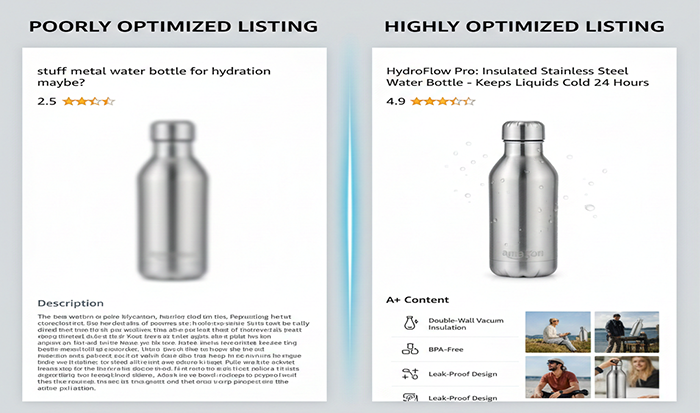
A winning listing earns the click fast and answers doubts even faster. Think “first screen” on mobile: a clean main image, a clear title, visible reviews, and a price that makes sense. Then reinforce with benefit-first bullets, a short video, and A+ that sets expectations—size, what’s included, and how it solves the shopper’s problem.
Title: Relevance First, Readability Always
- Purpose: Indexing and click-through.
- Formula: Primary keyword + key differentiator + core spec/size + standout benefit or use case.
- Example (kitchen scale):
-
-
- Not great: “Digital Kitchen Scale – Black”
- Better: “Digital Kitchen Scale 11lb/5kg – Precise 1g Increments, Slim Stainless Steel, Backlit Display for Baking & Meal Prep”
-
- Tips:
-
- Front-load the primary keyword naturally.
- Avoid keyword stuffing; keep it skimmable on mobile.
- Include the most decisive spec (capacity, size, count, material).
Bullets: Benefits First, Features Second
- Purpose: Turn interest into intent.
- Structure: Start with outcome, then validate with feature.
- Example (fitness resistance bands):
-
-
- Bullet 1 (Outcome): Build strength without joint strain — 5 levels of resistance let you progress safely at home.
- Bullet 2 (Outcome): Won’t roll or snap — layered latex construction and textured surface keep bands steady.
-
- Tips:
-
- Lead with the result (save time, reduce pain, get a better outcome).
- Keep each bullet tight; bold a few leading words if your category supports it.
- Answer top objections (fit, compatibility, durability, warranty).
Description & A+ Content: Story, Proof, Clarity
- Purpose: Deepen trust and remove doubts.
- What to include:
-
- A concise product story: who it’s for, what problem it solves.
- Comparison chart vs your own SKUs (and how each serves a different need).
- Lifestyle images showing scale, context, and real-world use.
- FAQ module to preempt common questions (care, sizing, compatibility).
- Pro tip: Keep language plain. Speak like a helpful friend, not a spec sheet.
Backend Keywords & Attributes: Quiet SEO That Matters
- Backend search terms: Add synonyms and common misspellings; no need to repeat words already in the front end.
- Attributes: Complete every relevant field (material, size, age range, compatibility). Filters are where many purchases start—don’t disappear there.
Amazon Product Image Size, Video, and Visual Strategy
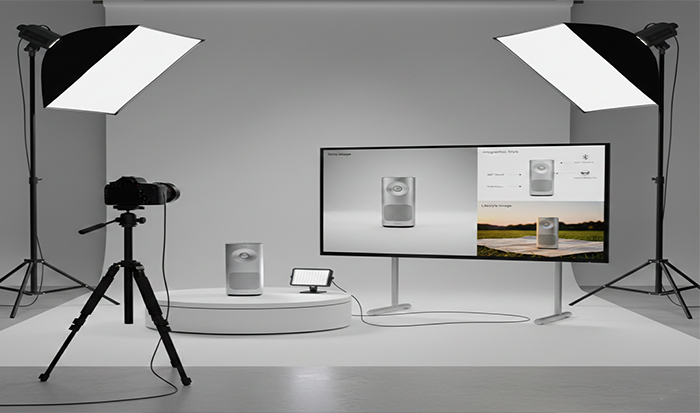
Your visuals carry more weight than most words. Aim for 2000 x 2000 px images for crisp zoom, a main image that fills the frame, and infographics with text large enough to read on a phone. Add a 15–45 second video showing the product in use—no fluff, just the outcome the buyer cares about.
Amazon Product Image Size (Practical Guidelines)
- Goal: Enable zoom, keep clarity, look premium on mobile.
- Recommended:
-
- 2000 x 2000 px (or higher) for crisp zoom.
- Zoom typically activates around 1600 px on the longest side.
- The product should fill ~85% of the frame with a pure white background for the main image.
- Use JPEG for reliability; PNG also works.
- Main image must be true-to-product, no props (unless allowed in your category), no text overlays, no watermarks.
Gallery Plan: What Each Image Should Do
- Image 1 (Main): Clean, well-lit, true scale, white background. This image drives CTR.
- Image 2 (Benefit): Show the top outcome in context (before/after, in-use shot).
- Image 3 (Proof): Infographic with 3–5 key callouts (materials, capacity, certifications).
- Image 4 (Objection): Size/fit/compatibility chart or exploded view.
- Image 5 (Lifestyle): Show the product in a relatable setting (kitchen, gym, office).
- Image 6 (Credibility): Close-up of quality details; if applicable, show warranty badge or standards.
- Image 7 (Variation/Bundle): Visual clarity on what’s included or how variations differ.
- Video (15–45s): Demonstrate “how it works” and the outcome customers care about.
Quick visual checklist:
- Good light, no harsh shadows
- Real scale cues (a hand, a common object)
- Consistent color and style across images
- Mobile legibility for text in infographics (don’t cram)
Amazon Product Listing SEO (Index Broadly, Rank Deeply)
SEO on Amazon is about matching shopper language and proving relevance with conversions. Front-load your primary keyword in the title, weave secondary terms into benefit-led bullets, and tuck synonyms into backend search terms. Index wide to show up, then focus PPC and content on a tight keyword cluster to climb the ranks.
Keyword Research That Actually Helps Conversions
Build a master keyword map
- Primary (high-intent head terms)
- Secondary (common variants)
- Long-tail (use-cases, materials, problems)
- Competitor terms (for PPC conquesting and content ideas)
Validate with real data (where available)
- Brand Analytics / Search Query Performance for enrolled brands.
- Category best sellers’ titles/bullets for language patterns customers expect.
Map keywords to listing elements
- Title: 1–2 primary + 1 hook/differentiator.
- Bullets: Benefits incorporate secondary terms naturally.
- A+ modules: Align copy with high-intent topics customers ask about.
- Backend: Cover synonyms, regional spelling, and long-tail you didn’t fit up front.
Indexing vs Ranking (Know the Difference)
- Indexing: Amazon recognizes your listing for a term.
- Ranking: You actually show up high enough to get clicks.
How to move from index to rank
- Tighten relevance (title and bullets aligned to the query).
- Win clicks (main image and price signal).
- Improve CVR (images, A+, reviews).
- Feed velocity (PPC + coupon/deal to start the flywheel).
Amazon Conversion Rate Optimization (Turn Clicks into Purchases)
The “First-Screen” Rule on Mobile
Most shoppers decide based on:
- Main image + title
- Price + coupon badge
- Star rating + review count
- First two bullets
Action: Put your best benefit and key differentiator in the first bullet and image #2.
9 Conversion Levers That Work
- Main image glow-up: Better lighting, tighter crop, true scale → CTR lift.
- Coupon badge (5–15%): Small discounts often lift both CTR and CVR without wrecking margin.
- Benefit-first bullets: Lead with outcomes, then features.
- A+ comparison table: Keep shoppers inside your brand instead of bouncing to competitors.
- Video demo: Show the product solving a problem in under 30 seconds.
- Social proof placement: Call out total reviews and average rating in an infographic (without violating policies).
- Clarity elements: Size chart, compatibility note, what’s-in-the-box image.
- Delivery promise: FBA/Prime improves conversion; show package dimensions/weight if shipping matters.
- Objection handling: Add a mini FAQ in A+ content (cleaning, care, warranty).
Example: Rewriting a Weak Bullet
- Weak: “High-quality stainless steel, 16 oz capacity.”
- Strong: “No metallic taste, just pure flavor — 16 oz insulated stainless steel keeps drinks hot for 12 hours.”
Variation Strategy That Reduces Friction (and Boosts Reviews)
Clean parent-child variations make choosing simple and share reviews across sizes/colors when it’s truly the same product. Show differences visually (size chart, color swatches) and label what changes—and what doesn’t. Less confusion means higher conversion and fewer returns.
Parent-Child Done Right
Group legitimate variations only (size, color, pack).
Benefits:
- Shared reviews across children (when variations are truly the same product).
- Cleaner shelf, less choice paralysis.
- Easier cross-selling within your own catalog.
Tactics:
- Use swatchable colors where applicable.
- Clarify differences visually in gallery images (e.g., size comparison).
Pricing and Offer Structure: Signal Value Without Racing to the Bottom

Price as a Conversion Signal
Keep list price stable; use short-term incentives to drive velocity:
- Coupons (green badge): Lifts CTR and CVR.
- Limited-time deals during peak traffic windows.
- Bundles and multi-packs to shift price tiers and raise AOV.
Guardrails:
- Understand contribution margin after fees (referral, FBA, storage).
- Don’t discount to the point your ad + fees go negative long term.
Reviews, Q&A, and Post-Purchase: The Trust Engine
Ethical Review Velocity
Pre-conditions: Solid product quality, clear instructions, thoughtful packaging.
Within policy:
- Enroll eligible ASINs in Vine to seed credible reviews.
- Automate “Request a Review” in Seller Central.
- No incentives, no gating, no manipulative language.
Q&A and Returns as Goldmines
- Add answers to the top 5 customer questions into bullets/A+.
- Use return reasons and Voice of the Customer to refine product and copy.
- Respond to negative reviews with empathy and specific fixes; future shoppers read those replies.
Testing and Measurement: Make Data Your Editor

Manage Your Experiments (A/B Testing)
What to test (one at a time):
- Main image angle/crop/background brightness
- First 100 characters of title
- Infographic order and callouts
- A+ comparison chart layout
Read tests long enough to get clear winners; avoid swapping components mid-test.
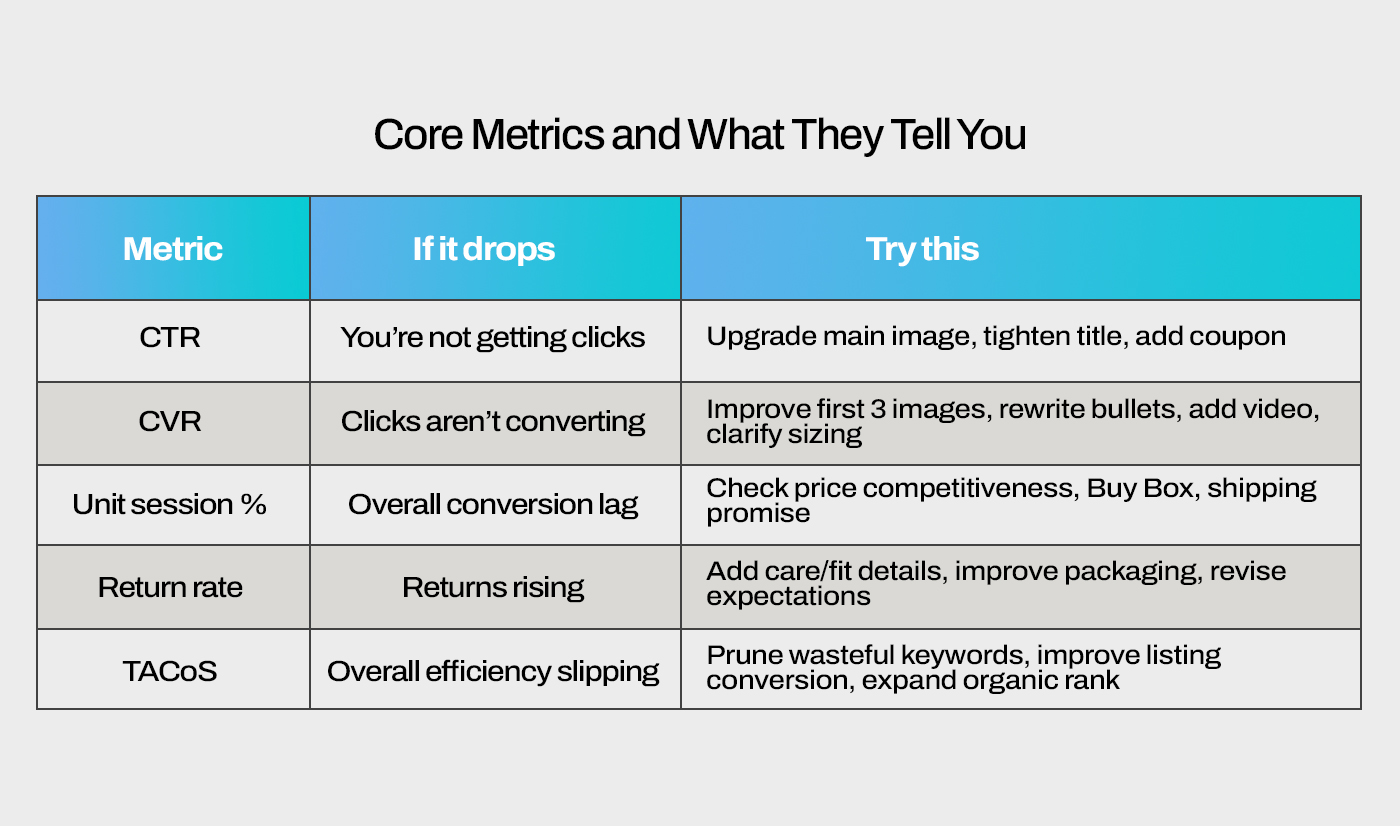
Core Metrics and What They Tell You
- CTR (from search to detail page): Image/title relevance and price positioning.
- CVR (detail page to purchase): Listing strength and offer clarity.
- Unit session percentage: Amazon’s own conversion lens.
- Return rate: Expectation mismatch, quality issues, unclear instructions.
- TACoS: Ad spend impact on total revenue; should trend down as organic strengthens.
Step-by-Step Workflow: Amazon Product Listing Optimization Tips You Can Execute
Week 1 — Build the Foundation
- Market scan: Identify top 5 competitors; note their main image patterns, price bands, review counts.
- Keyword universe: Map primary/secondary/long-tail + synonyms. Prioritize by intent and volume.
- Title draft: Frontload primary keyword + differentiator + key spec.
- Bullets: 5 bullets, each with a clear outcome + validating feature.
- Backend search terms: Add remaining terms; avoid repetition.
- Attributes: Complete every relevant field (material, size, compatibility).
Week 2 — Visuals and Offer
- Image set: Produce 7–9 images (1 main, 3 infographics, 2 lifestyle, 1 comparison, 1 size/what’s-in-the-box).
- Video: 15–45s demo showing use and outcome; add captions for silent viewing.
- A+ Content: Story, benefits, comparison chart, mini FAQ.
- Offer setup: Price model + 5–15% coupon for launch/refresh.
Week 3 — Launch + Learn
- PPC structure: Auto (harvest), Broad (explore), Phrase/Exact (control) around your top clusters.
- Negatives: Add poor matches twice per week.
- Monitor: CTR, CVR, search term quality; shift budget toward winners.
Week 4 — Iterate
- A/B test: Main image or first 100 characters of title.
- Copy tweaks: Tighten bullets based on search queries and Q&A.
- Review ops: Vine (eligible ASINs) + Request a Review automation.
- Packaging nudge: Add quick-start card or care tips to reduce returns.
Ongoing Monthly Cadence
- Keyword gap fill: Add long-tail terms that are driving PPC conversions into copy.
- Image refresh: One new infographic or lifestyle shot based on objections seen in reviews.
- A+ improvements: Expand comparison tables; clarify variations.
- Inventory/Buy Box check: Avoid stockouts and sudden price changes.
- Margin audit: Ensure coupons and ads keep contribution positive.
Category-Specific Nuances Worth Considering
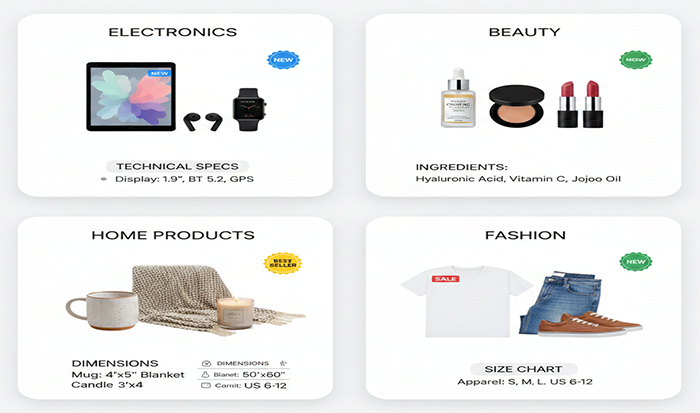
Apparel and Footwear
- Size charts front and center; show fit on different body types.
- Returns often tied to sizing—add “how to measure” visuals.
Electronics and Accessories
- Compatibility matrix (models/versions).
- Infographic on safety standards and certifications.
Home & Kitchen
- Before/after or in-situ shots (space-saving, cleanliness).
- Materials and care instructions reduce returns.
Beauty and Personal Care
- Texture and shade swatches; ingredient callouts.
- Routine or step-by-step usage visuals.
Grocery
- Clear nutrition panels and storage/expiration info.
- Allergy disclosures and sourcing claims where applicable.
Putting It All Together: A Mini Before-and-After
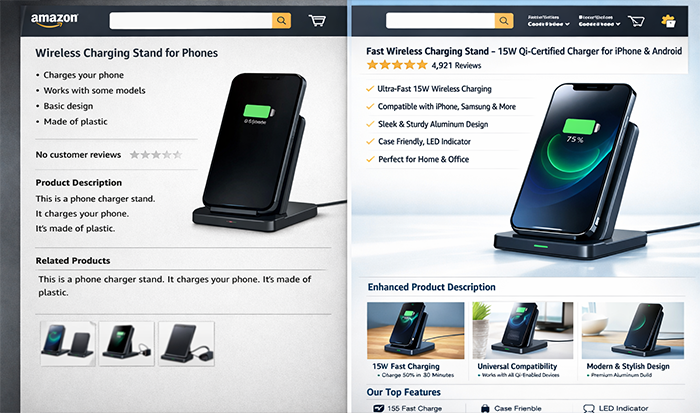
Imagine a generic lamp listing with vague bullets and three bland photos. After a quick overhaul—benefit-led title, crisp main image, runtime infographic, 20-second demo video, and a size/what’s-in-the-box shot—CTR ticks up and conversions follow. That’s the power of small, focused improvements working together.
Product: Rechargeable Desk Lamp
Before
- Title: “LED Desk Lamp, White”
- Images: 3 photos on white
- Bullets: “High quality,” “Portable,” “Long battery”
- No A+, no coupon, no video
After
- Title: “Rechargeable LED Desk Lamp – 3 Color Modes, 30H Battery, Flexible Gooseneck, Eye-Safe Light for Study & Bedside”
- Images: 8 images (main on white, brightness modes, runtime infographic, size/charging image, lifestyle on desk/nightstand)
- Video: 20s showing mode switch, flexible neck, USB-C charging
- Bullets: Outcomes (“study longer without eye strain,” “no outlet needed for 30 hours”)
- A+: Comparison chart vs non-rechargeable model; mini FAQ on charging time & brightness
- Offer: 10% coupon
Expected impact
- CTR up (clear main image + strong title)
- CVR up (video + mode/usage clarity + coupon)
- Returns down (size/charging expectations set)
Common Mistakes (And Easy Fixes)
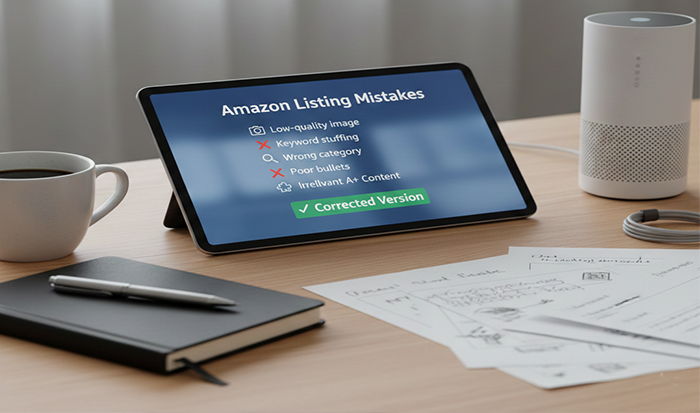
- Keyword stuffing titles: Keep it readable; put the strongest phrase first and spread the rest across bullets/backend.
- Skipping mobile realities: Make image #2 and bullet #1 do the heavy lifting; most shoppers never read long descriptions.
- Weak main image: Better lighting, tighter crop, true scale. This one change often moves the needle the most.
- No comparison table: Add an A+ chart to keep shoppers within your lineup (and explain differences).
- Ignoring returns data: Mine return reasons monthly; add clarifications in images/bullets to prevent repeat issues.
- Letting listings go stale: Run “Manage Your Experiments,” refresh infographics quarterly, and update keywords based on search term reports.
A Practical Checklist You Can Reuse
10-Point Amazon Listing Optimization Checklist
- Title front-loads primary keyword + differentiator
- First bullet states the top outcome, not just a feature
- Image #2 shows product in use; image #3 is a simple infographic
- Size/fit/compatibility clarified visually
- Video demonstrates how it works (15–45s)
- A+ includes comparison chart and mini FAQ
- Backend terms include synonyms and misspellings without duplication
- Coupon or limited-time promo active during push periods
- Reviews seeded legally; negative feedback addressed constructively
- One live A/B test running or queued
Final Word: Optimization Is a Habit, Not a One-Time Project
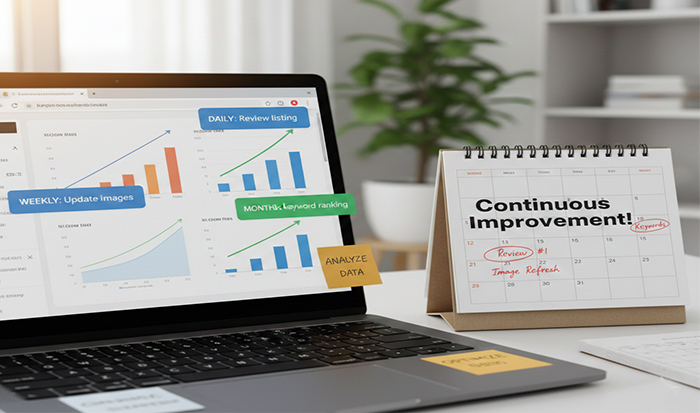
Great Amazon listings aren’t “done.” They’re maintained. As reviews roll in and search behavior shifts, your copy, images, and offers should evolve. Keep your focus on two simple questions:
- Are we easy to choose?
- Are we clear enough to keep?
If you consistently improve those two, your Amazon Conversion Rate Optimization strengthens, your ads work harder, and your organic rankings climb. That’s the quiet compounding most brands are missing.
FAQs
1.What’s the best Amazon Product Image Size for crisp zoom?
Aim for at least 1600 px on the longest side to enable zoom; 2000 x 2000 px (or higher) is a solid target. Keep the main image on a pure white background, and let the product fill roughly 85% of the frame.
2.How do I balance Amazon Product Listing SEO with readability?
Front-load your primary keyword in the title, weave secondary terms into benefit-led bullets, and use backend search terms for synonyms and long-tail. If a sentence sounds robotic, rewrite it—humans decide, algorithms follow.
3.What’s the fastest way to lift conversion rate?
Fix the main image and first bullet, add a small coupon, and upload a short demo video. Those three steps often produce noticeable CVR gains within days.
4.Should I group my variations under one listing?
Yes—when they’re truly the same product (e.g., size, color, pack). Parent-child variations consolidate reviews, simplify choices, and usually improve conversion. Don’t force unrelated items together.
5.How often should I update my listing?
Light updates monthly (keywords, one new image, copy tweaks), with a deeper refresh quarterly (A+ overhaul, comparison tables, video upgrades). Keep one A/B test running whenever possible.

 Back to top
Thought Leadership, Tips, and Tricks
Never miss insights into the Amazon selling space by signing up for our email list!
Read more


Expert
strategies
delivered
to your
inbox
top industry minds to fuel
your brand’s growth.

Send request to Sellerite
Once you submit the consultation form, we’ll dive into the details and email you a tailored report within 24-48 hours.
"*" indicates required fields
*By submitting your Email Address, you are agreeing to all conditions of our Privacy Policy.
